Why Smart Keypads Beat Phone Apps for Everyday Home Control
Phone apps are great for remote control, but daily life needs something simpler. Here is why smart keypads work better for families, guests and elders.
Walk into a home that runs entirely on phone apps and you will see the problem within a minute. A guest cannot find the light switch. A grandparent is handed a phone to turn on the bedroom lamp. Someone is standing in the dark, scrolling for the right app tile. The technology works, but the experience does not.
A smart home should make daily life easier for everyone who lives in it, not just the person who set it up. That is why, in the homes we automate, the humble wall keypad is still at the centre of the design. Apps have a role. They just should not be the only way to control your home.
The problem with app-only control
Apps ask you to do several things before a light turns on: pick up the phone, unlock it, open the app, find the room and tap the right control. Compare that with the one-second habit of pressing a switch on the wall. For something you do dozens of times a day, those extra steps add up and become irritating quickly.
There is also the question of who gets to use the home. Children do not always have phones. Domestic staff and visitors may not have your app installed. Elderly family members often prefer something they can see and press. If control lives only on one person’s phone, everyone else depends on that person.
Then there is reliability. Phones run out of battery, apps update and change their layout, and Wi-Fi drops at the worst moments. None of that should stand between you and a lit staircase at night.
What a smart keypad actually does
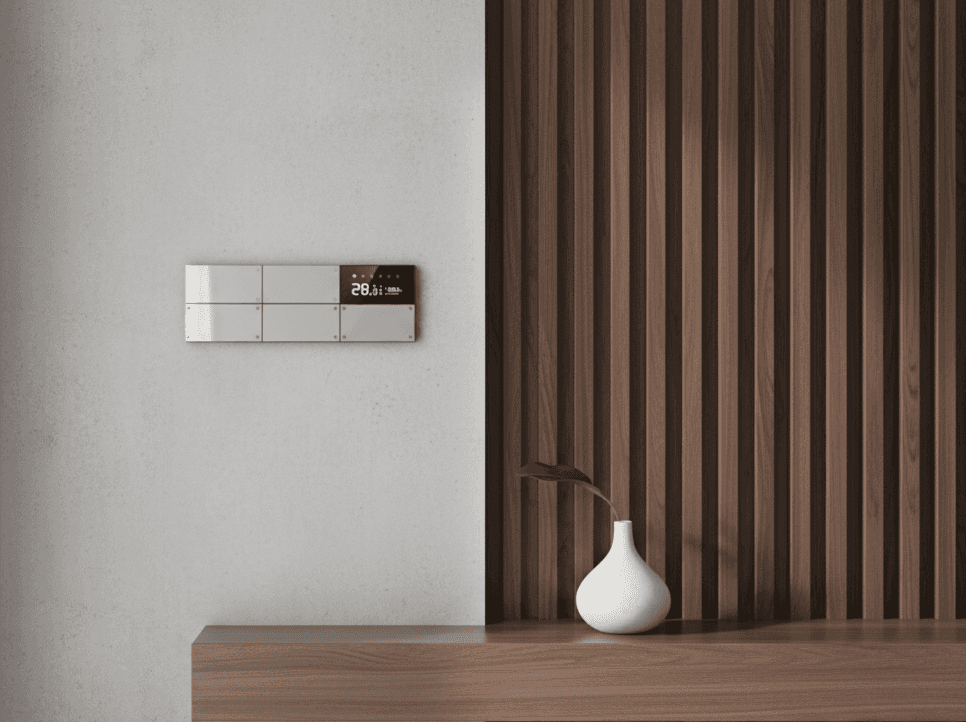
A smart keypad looks like a clean, modern switch plate, but each button can do far more than switch one light. One press can run a whole scene. A button near the front door can turn on the entry lights, set the living room to a welcoming level and start the air conditioning. A bedtime button can switch off the lights downstairs, bring up soft night lighting and set the temperature you prefer.
Because the buttons are labelled and always in the same place, anyone in the house can use them without learning anything. The intelligence sits behind the wall, and the interface stays simple.
Scenes make a home feel effortless
The real value of a keypad is the scene. Instead of controlling ten separate devices, you press one button for a mood or a routine. Typical scenes in our projects include Welcome Home, Dinner, Movie, Good Night and Away. Each one is tuned for that room and that family, so the lighting feels right instead of simply being on or off.
Good scenes take some thought during design. We walk through how you actually live: who wakes up early, where guests sit, how the home theatre is used. Then we build the buttons around those habits.
Where phone apps still make sense
None of this means you should delete the app. Phone control is genuinely useful when you are away from home. You can check that the lights are off, adjust the temperature before you arrive, or let a visitor in while you are travelling. Voice control is handy when your hands are full.
The best setup uses all three: keypads for daily use, the app for remote and detailed control, and voice as a convenience. Each covers the weakness of the others. That balance is what separates a thoughtfully designed home from a collection of connected gadgets.
Why planning matters for keypads
Keypads work best when they are planned before the walls are finished. Their position, the number of buttons, the wiring behind them and the scenes they control all need to be decided early. Adding them afterwards is possible, but it usually means cutting into finished walls, and the layout ends up as a compromise.
If you are building or renovating, share your electrical and interior drawings with your automation team at the start. A few early decisions about switch locations will save a lot of rework and give you a cleaner result.
What to look for when choosing keypads
Look for a design that suits your interiors, since it will be on your walls every day. Check that the buttons feel good to press and that labels are clear and easy to update. Ask how the system behaves if the internet goes down, because everyday lighting should keep working locally. And make sure the people installing it will also support it after handover.
At Wynbee, we have automated more than 2000 homes, and keypads are a core part of how we design control. If you would like to see how they feel in real life, visit our Mumbai experience centre or book a free consultation. We will show you how a whole scene runs with a single press.